

package.json:
package.json
.travis.yml in your repository with the following
contents:
.travis.yml
Authentication
To run any commands, you must authenticate with Momentic. Set theMOMENTIC_API_KEY environment variable in your Travis repository settings.
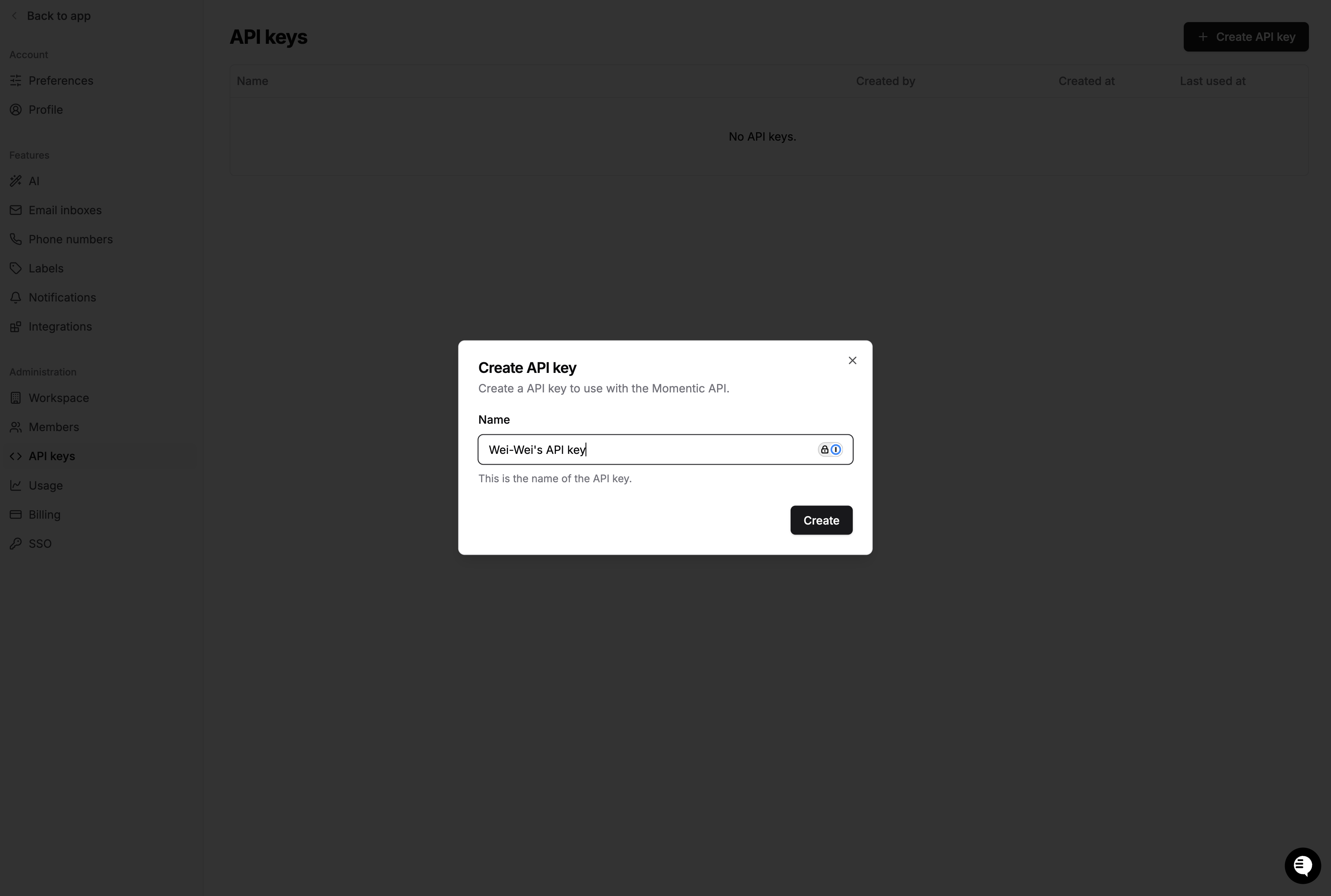
- Create an API key in the Momentic dashboard.
- Go to your Travis repository settings and scroll down to the Environment
Variables section. Create a new variable called
MOMENTIC_API_KEYand enter the value of your API key.
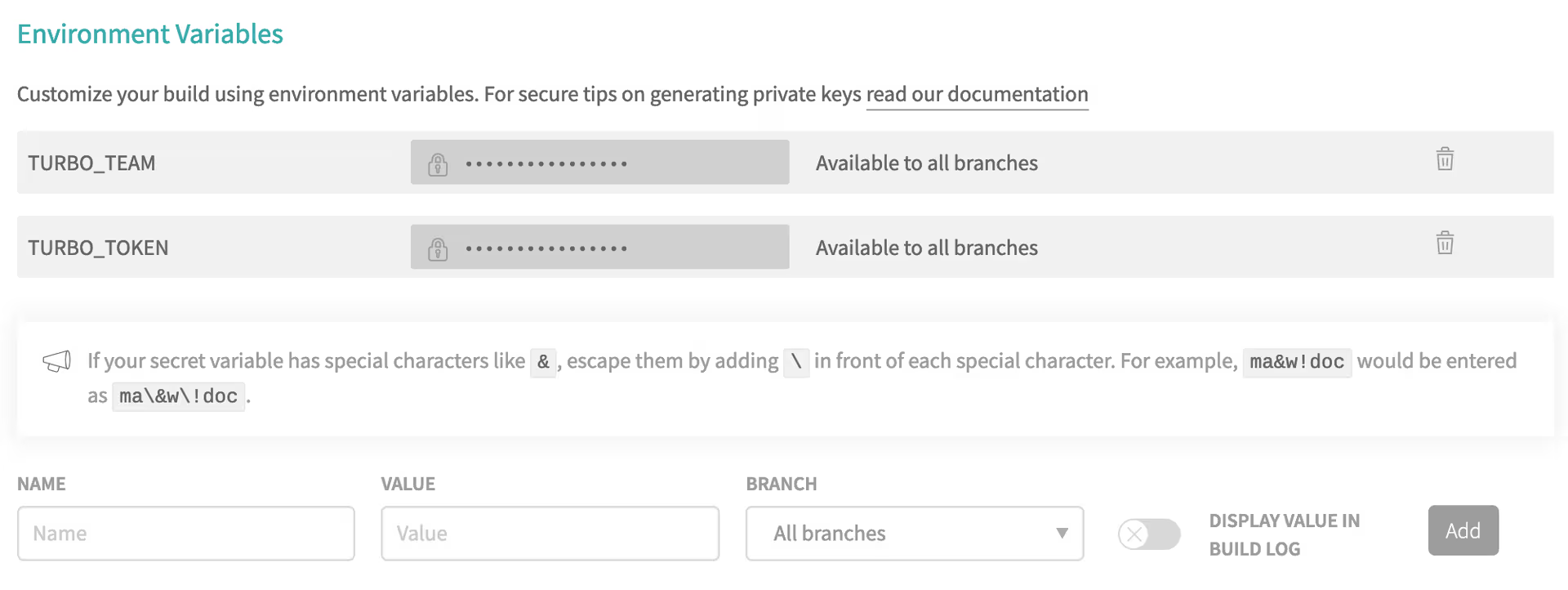
- Travis CI automatically loads environment variables stored in project settings into the CI environment. The CI file needs no changes.