
Documentation Index

Fetch the complete documentation index at: https://momentic.ai/docs/llms.txt

Use this file to discover all available pages before exploring further.

Prerequisites: An SMS number must be provisioned by Momentic.
SMS runs inside the JavaScript step’s sandbox via the global sms object.

sms.send

Send an SMS from a Momentic-provisioned number.
await sms.send({
  body: "Hello world!",
  to: "+14151234567",
  from: "+14159876543", // Momentic-provisioned number
});

sms.fetchLatest

Returns the most recent message, polling until one arrives or the timeout elapses. Throws on timeout.
const { body } = await sms.fetchLatest({
  to: "+14151234567",
  from: "+14159876543", // optional, filters by sender
  afterDate: new Date(), // only fetch messages received after this date
  timeout: 30_000, // milliseconds
  // beforeDate?: Date
});

const link = body.match(/https?:\/\/[^\s]+/)[0];
return link;
Without afterDate, fetchLatest may return stale messages from previous runs. Keep tests single-flow per number to avoid race conditions.

sms.lease

Check out a free phone number from your org’s pool for the duration of a test. Numbers are mutually exclusive: while a number is leased, no other test in your org can claim it. Use this when running tests in parallel against the same SMS flow (e.g. multiple OTP signups in CI), to avoid two tests racing on the same inbound code.
const { phoneNumber } = await sms.lease();

await sms.send({
  body: "Trigger OTP",
  to: "+14151234567",
  from: phoneNumber,
});

const { body } = await sms.fetchLatest({
  to: phoneNumber,
  afterDate: new Date(Date.now() - 60_000),
  timeout: 30_000,
});

const [code] = body.match(/\b\d{6}\b/) ?? [];
if (!code) throw new Error("No OTP code found in SMS");
setVariable("OTP_CODE", code);
That’s it: no manual release. The number is automatically returned to the pool when the test finishes, in two layers:
  1. Local CLI cleanup. When a test process exits, including a crash, a thrown exception, or a Ctrl-C, the CLI best-effort releases every lease the test still holds before tearing down.
  2. Server-side TTL sweep. If even the local cleanup misses (kill -9, network partition), the lease expires after ttlMs (default 5 minutes) and a background sweep returns the number to the pool within ~1 minute.

sms.release (optional)

If you want a number freed during the test (e.g. you only need it for the OTP fetch and have a long flow afterwards), call sms.release with the leaseToken returned by lease():
const { phoneNumber, leaseToken } = await sms.lease();

try {
  // use phoneNumber for the OTP flow here
} finally {
  await sms.release({ phoneNumber, leaseToken });
}
The leaseToken is an opaque scoping handle: thread it back into release().

Pool exhaustion

sms.lease() accepts options for tuning lease duration and wait behavior:
await sms.lease({
  ttlMs: 5 * 60_000, // optional, defaults to 5 minutes, max 1 hour
  timeoutMs: 30_000, // optional, how long to wait for a free number
});
If every number in your pool is already leased when you call sms.lease(), it polls for up to timeoutMs (default ~30 seconds) waiting for one to free up. If no number becomes available in that window, it throws:
No SMS numbers available, your pool of 3 is fully leased. Wait for a test to
release one, or contact Momentic support to add capacity.
Pass timeoutMs: 0 to fail fast instead of waiting:
await sms.lease({ timeoutMs: 0 });
The JavaScript step itself has a default timeout of 15 seconds (max 60). If you raise timeoutMs past that, or chain sms.lease with a long fetchLatest poll, set the JavaScript step’s Timeout field high enough to cover the whole script or the step will be killed before your code returns.

Monitoring the pool

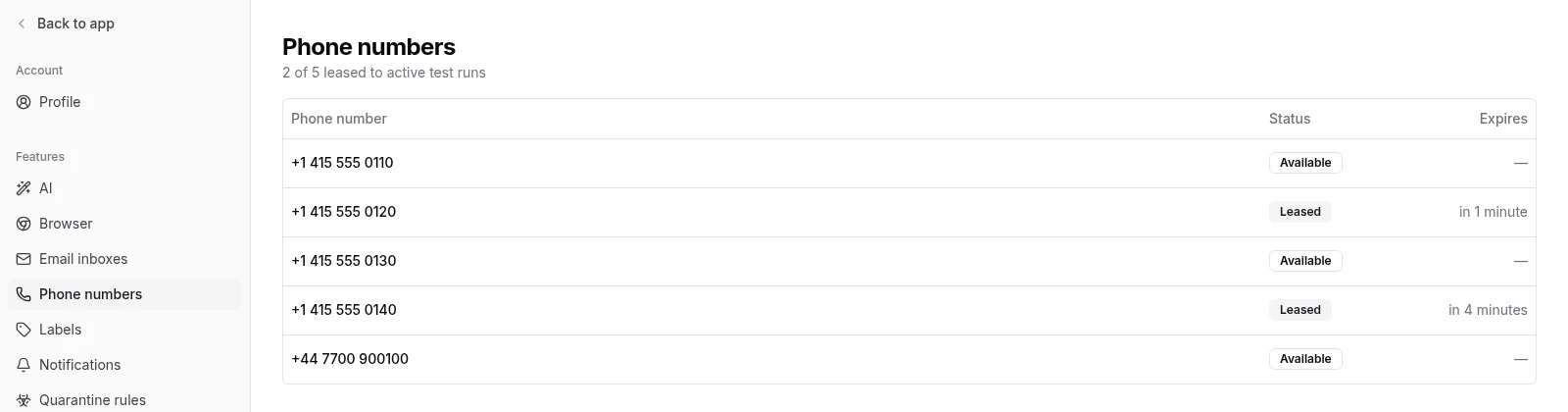
Lease state is visible in Settings → Phone numbers. Every provisioned number shows whether it’s currently leased and when its lease expires.
Phone numbers settings page