

- Locator auto-healing re-resolves a stale target or waits for the page to settle. The current step continues without editing the test.
- Failure recovery generates temporary steps to clear an obstruction, then retries the failed step. The test still does not change.
- Permanent healing uses classification and triage to explain the failure, decide whether it is healable, and permanently repair the test when possible.
- Quarantine keeps an unresolved flaky test running and collecting data without letting it block CI.
Locator auto-healing
When a cached target no longer matches the page, the locator agent finds the element again from the step’s description. Smart waiting also waits for navigation, requests, and page changes to settle before the action runs. The resolution applies to the current run and never edits the test. After an eligible successful run, Momentic can save it to the step cache for fast replay.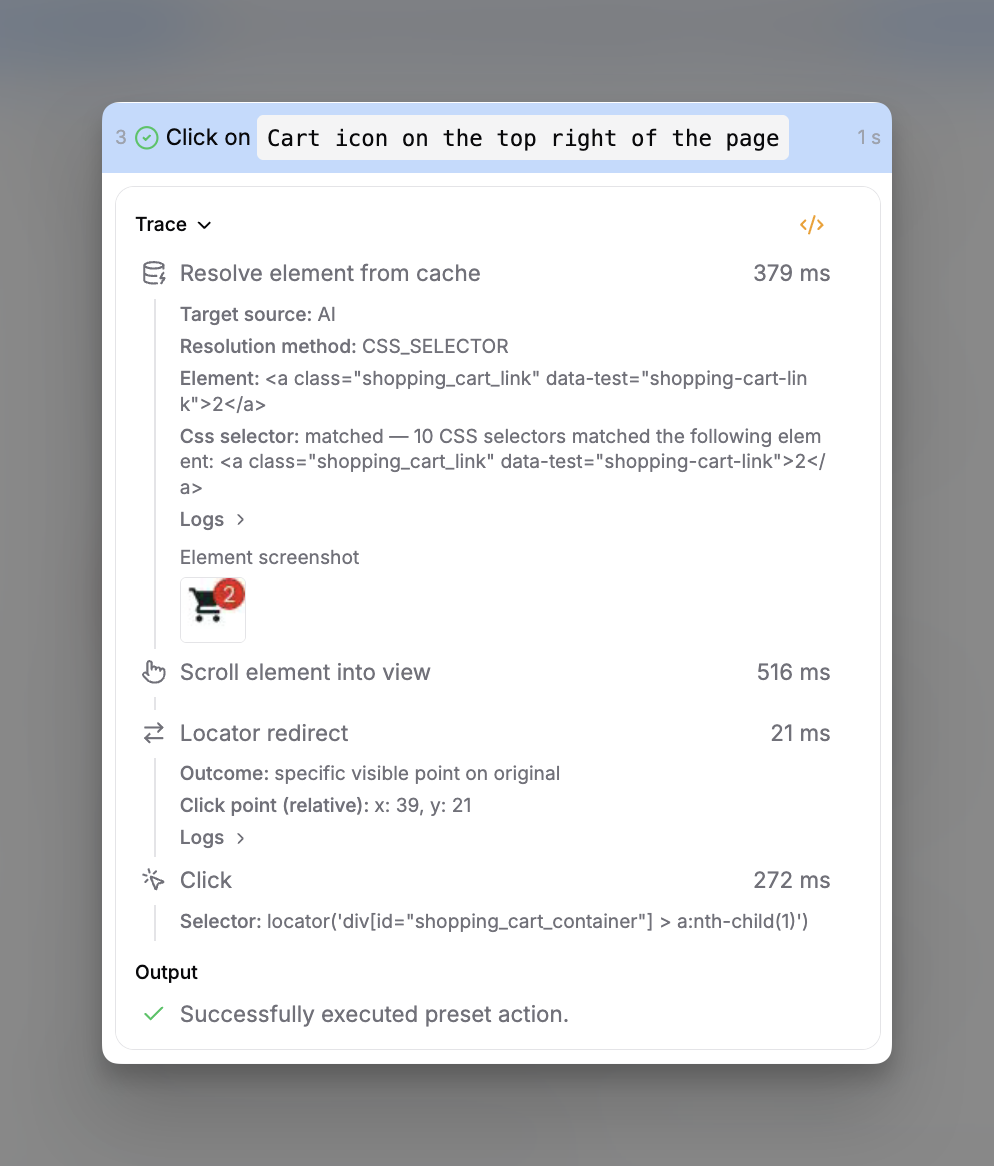
A locator re-resolved during a run
Failure recovery
During eligible CI runs, failure recovery can generate temporary steps to clear a cookie banner, wait out a transition, or handle another transient obstruction. It then retries the failed preset step. Generated steps apply only to that run and never edit the test. Enable it inmomentic.config.yaml:
momentic.config.yaml
Permanent healing
Permanent healing combines AI classification, AI triage, and configurable delivery for repaired and unrepaired tests. Themomentic ai classify and momentic ai triage commands below operate on
web tests. For mobile failures, use the
coding agent maintenance skills with the
mobile MCP server to investigate and repair the test.
AI classification
Classification explains the evidence behind each category and the configured heal, warn, or fail action. Review the reasoning in the run viewer and override the category when the evidence supports a different diagnosis.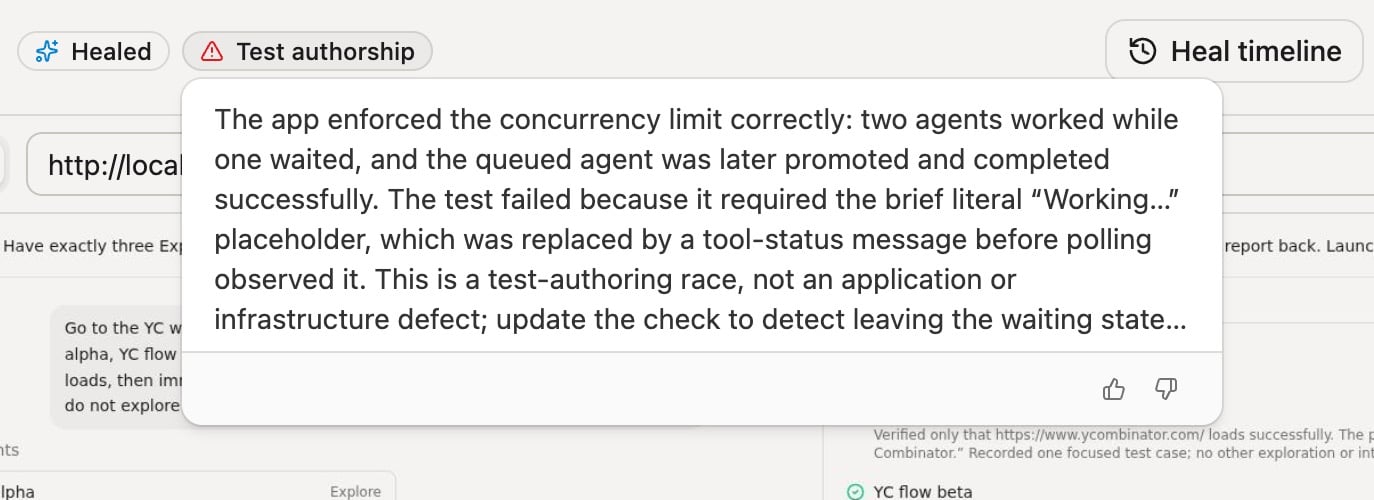
Classification identifies a test-authorship race and routes it to healing
ai.classification. Category actions and
project-specific guidance live in
Classification settings.
AI triage
Run tests into a results directory, then triage failures from that directory:run points at the exact step and hands off to triage:
slow-nav repair was written to disk as:
slow-nav.test.yaml
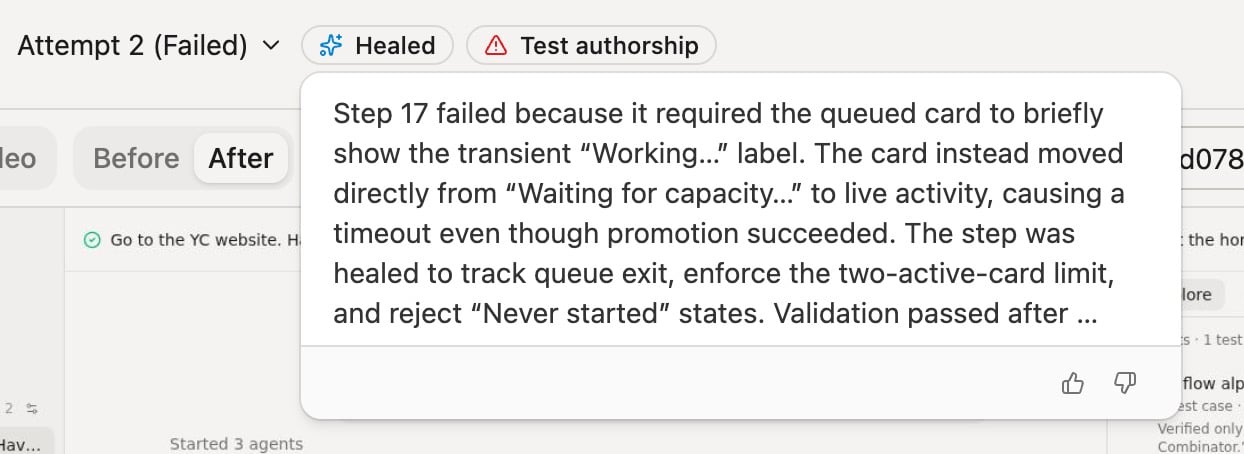
Triage explains the repaired step and its validation
momentic-maintain with
the run ID.
To keep CI passing while a heal is pending, in-flow classification can return a
successful exit code for failures routed to heal or warn. Failures
routed to fail still block the build. See
Let the verdict gate CI.
For CI, make sure triage runs even when the test step fails. Each repair attempt
starts a browser, so if browsers run locally, size the runner for up to one
browser per --parallel worker (one by default):
.github/workflows/momentic.yml
momentic ai reference covers
alternative run selectors, queue filters, parallelism, delivery overrides, and
exit codes.
Heal behavior
Triage settings control how accepted repairs and failed repair attempts are delivered.Patch delivery
The On successful heal Triage setting controls how an accepted repair is delivered from the CI runner. Outside CI, every mode leaves the changes on disk instead.- Pull request (default): open a pull request with the repairs.
- Draft pull request: open a pull request with the repairs as a draft.
- Direct commit (
direct-commit-except-main): commit and push to the branch under test. On the main branch or a protected branch it opens a draft pull request instead of pushing. - Patch: print a git patch to stdout, to apply with
git apply. - Nothing: leave the changes on disk.
- Follow triage skill: let a matching skill in
.momentic/skillschoose one of the behaviors above per repair, with a pull request as the fallback. - AI routing: let triage decide where each repair goes based on what caused the failure. See AI routing.
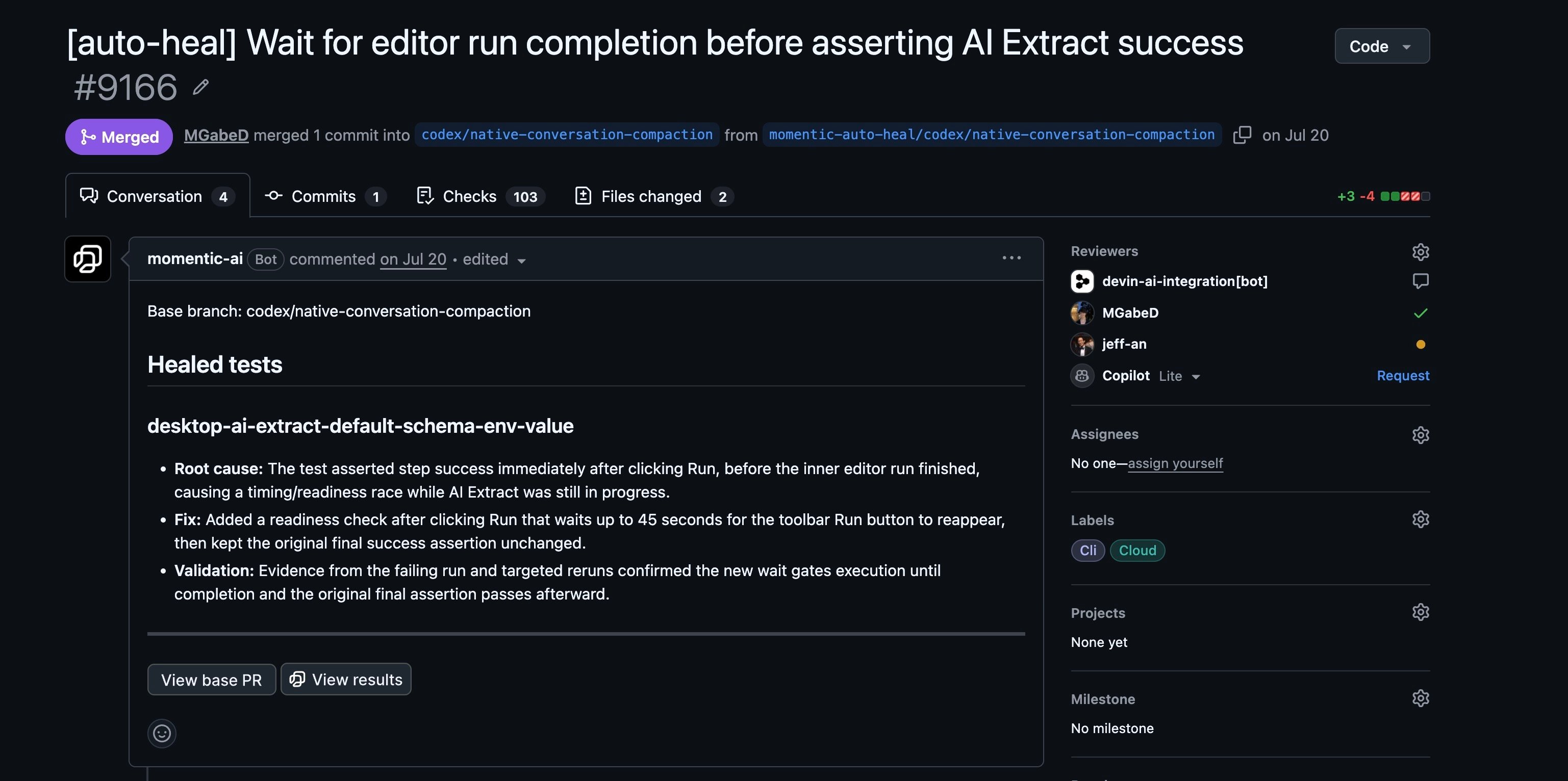
An auto-heal pull request records the root cause, fix, and validation
--on-heal-success flag
overrides the first five modes for one run. Follow triage skill and AI
routing can only be enabled from the dashboard.
AI routing
Set On successful heal to AI routing to choose delivery separately for each repaired issue:- The branch under test caused the failure. Triage commits the repair to that branch, or opens a pull request when the run is on the main branch.
- Another cause is responsible. Triage opens a separate pull request against the main branch and assigns it from commit and pull-request evidence.
- A fix already exists. Triage references the existing pull request instead of creating a duplicate.
gitMainBranch and the
GitHub integration. If routing cannot complete, Momentic
delivers the repair on the current branch and logs the reason.
Failed heals
The On failed heal Triage setting controls what happens to tests the agent cannot repair:- warn (default): report the failure and the agent’s reasoning.
- fail: exit non-zero.
- quarantine: exit non-zero and quarantine the unfixed tests.
--on-heal-fail flag overrides it for one run.
Circuit breaker
When a run group has at least 20 failures and at least 50% of its tests failed, triage is skipped and the command exits non-zero with the reason: a suite failing at that scale points to a single outage, not many separate bugs. Quarantined and recovered runs do not count toward either number, and runs named with--run-id are always triaged. Triage resumes on the next run.
If a recurring flake cannot yet be repaired, contain it with
quarantine.
Quarantine
Quarantine keeps a flaky test running without failing the build. The run remains visible in the dashboard as a quarantined failure, so you keep the evidence needed to fix it. Quarantine a test with a reason:momentic quarantine reference
for commands and rule options.
Quarantine should be temporary. Continue investigating, then remove the
quarantine when the test is stable.