

Mock a route
Example: captureGET /todos and return fake data. Set a URL matcher (and
optional method) on a Mock route step, then write a responseGenerator
(JavaScript that receives the intercepted mock.request and returns a
Response):
Modify the real response
To override part of the real response (e.g. a single feature flag), setfetchOriginalResponse: true (the editor’s Fetch real response toggle) so
mock.response is populated before your generator runs:
Reference a mock
Each mock has akey, either configured on the step or auto-generated. Save the
step output to a variable to reference an auto-generated key later.
Remove a mock
Use aRemove route mock step with the key to remove a specific mock. Omit the
key to remove all mocks.
Update a mock
Register a new mock with the same key. A different key with the same URL matcher will not replace the existing mock.Debugging
If a response generator throws, Momentic responds with status 500 and the error message in the body, visible in your app and in Momentic’s network viewer.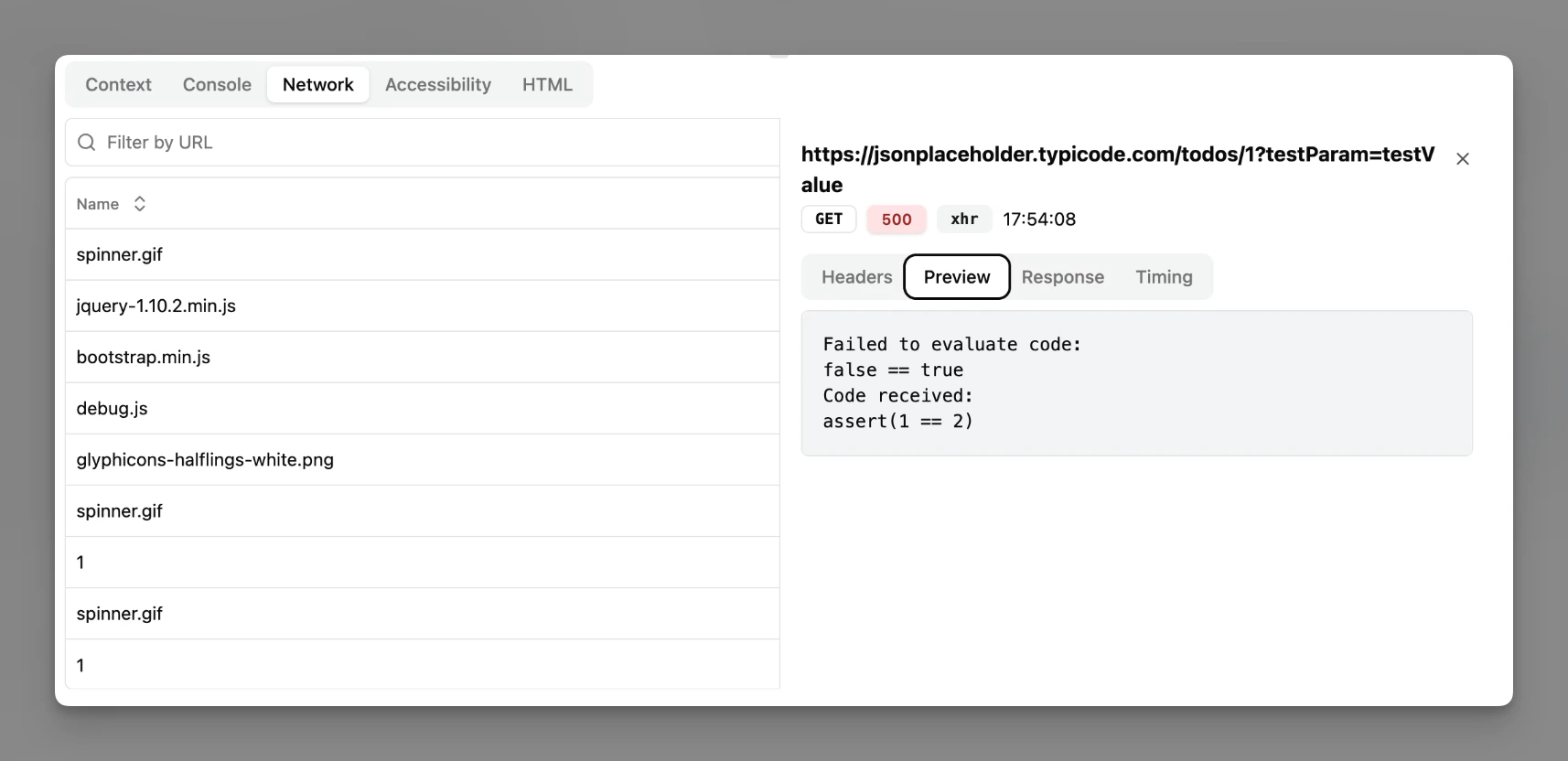
Network viewer in the run viewer