

package.json:
package.json
.gitlab-ci.yml in your repository with the following
contents:
.gitlab-ci.yml
Authentication
To run any commands, you must authenticate with Momentic. Add theMOMENTIC_API_KEY environment variable to your GitLab CI pipeline.
- Create an API key in the Momentic dashboard.
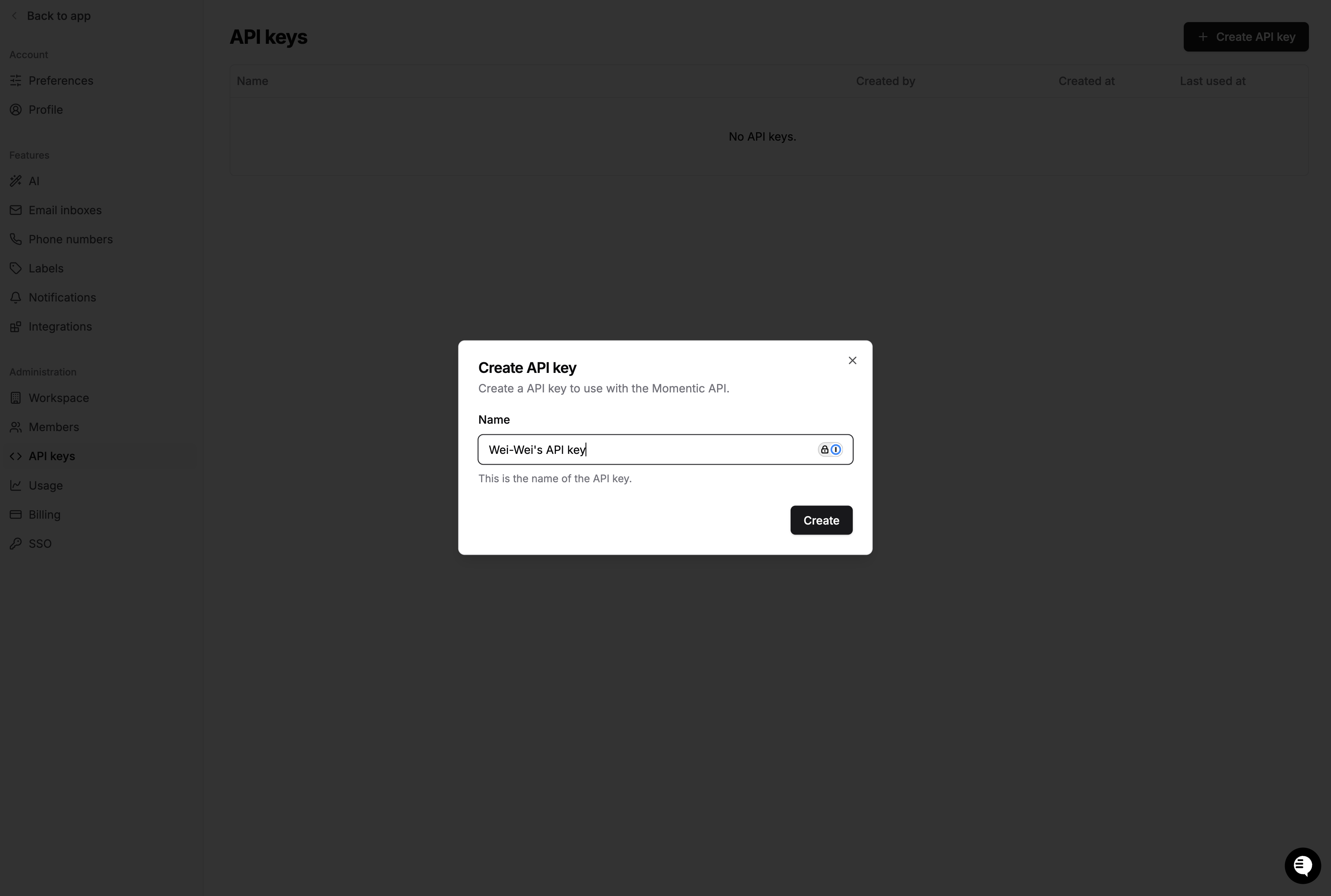
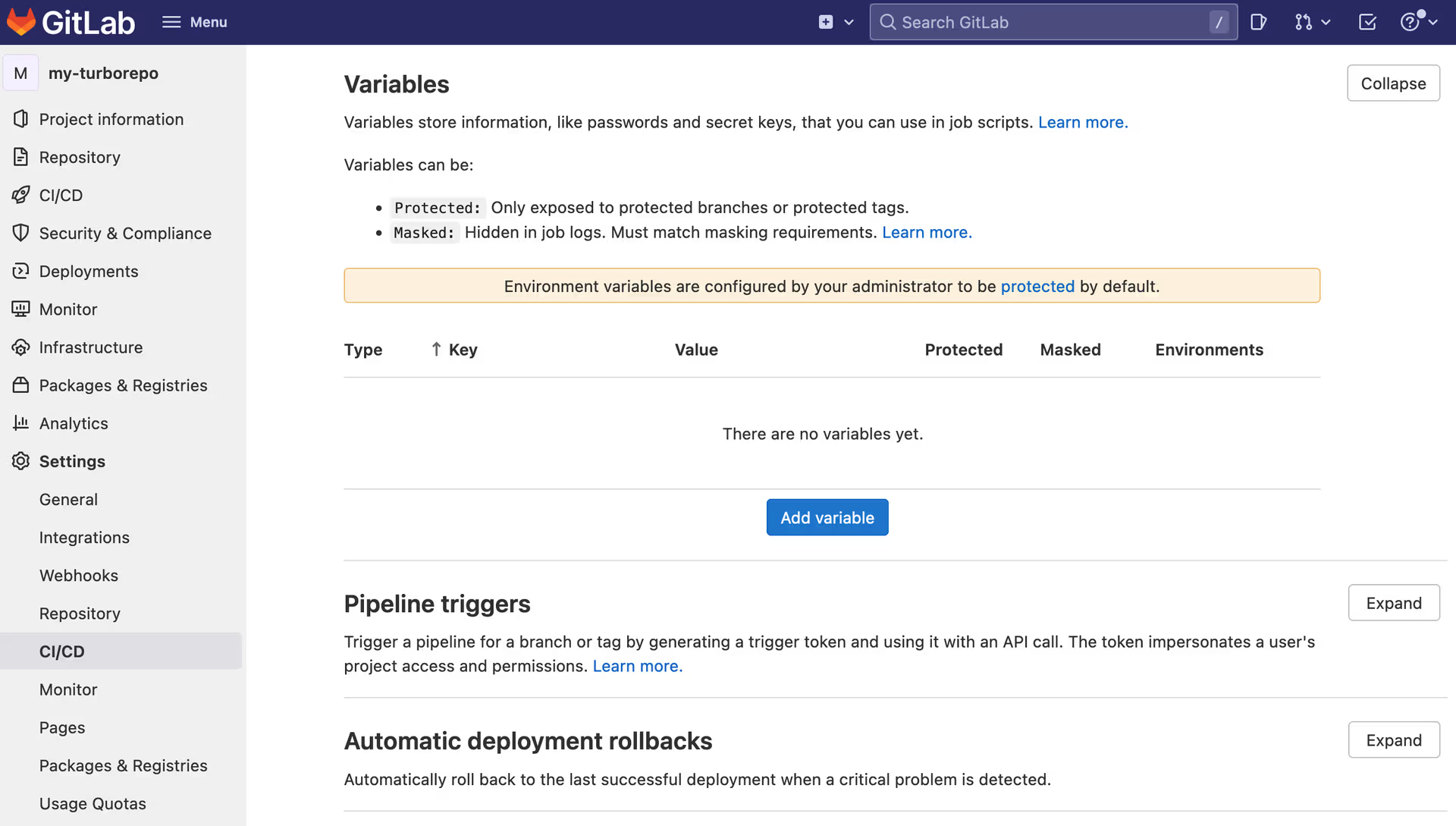
- In your GitLab repository, click Settings, then CI/CD. Create a new
variable called
MOMENTIC_API_KEYand enter your API key.
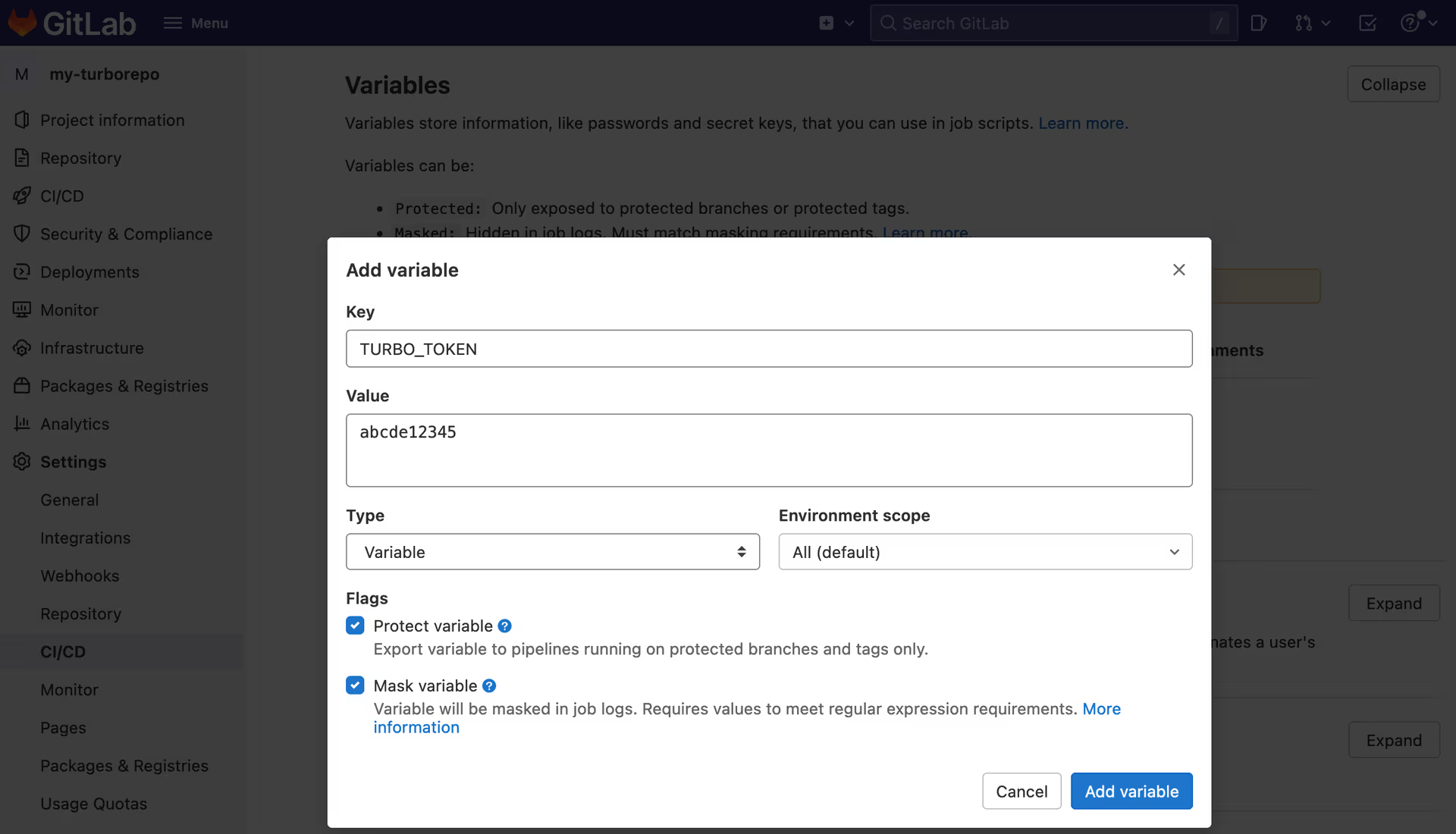
- GitLab CI automatically loads environment variables stored in project settings into the CI environment. The CI file needs no changes.
Sharding
If you have a large test set, use sharding to run tests in parallel across CI jobs and shorten total run time. To shard your tests, pass the--shard-index and --shard-count options to the
momentic run command. --shard-index is the index of the current shard
(starting from 1), and --shard-count is the total number of shards.
To collect test results inside a single run group in the Momentic dashboard, add
a separate step after all tests complete to merge and upload results.
.gitlab-ci.yml