

Momentic’s AI reads the DOM, the accessibility tree, and a screenshot of the viewport. Describe elements using any combination of the three.Documentation Index
Fetch the complete documentation index at: https://momentic.ai/docs/llms.txt
Use this file to discover all available pages before exploring further.
Accessibility attributes
The accessibility tree is the most reliable signal: reference the element’s accessibility role (e.g. “the submit button”, “the ‘People’ tab”, “the combobox for selecting a month”) along with its accessible name.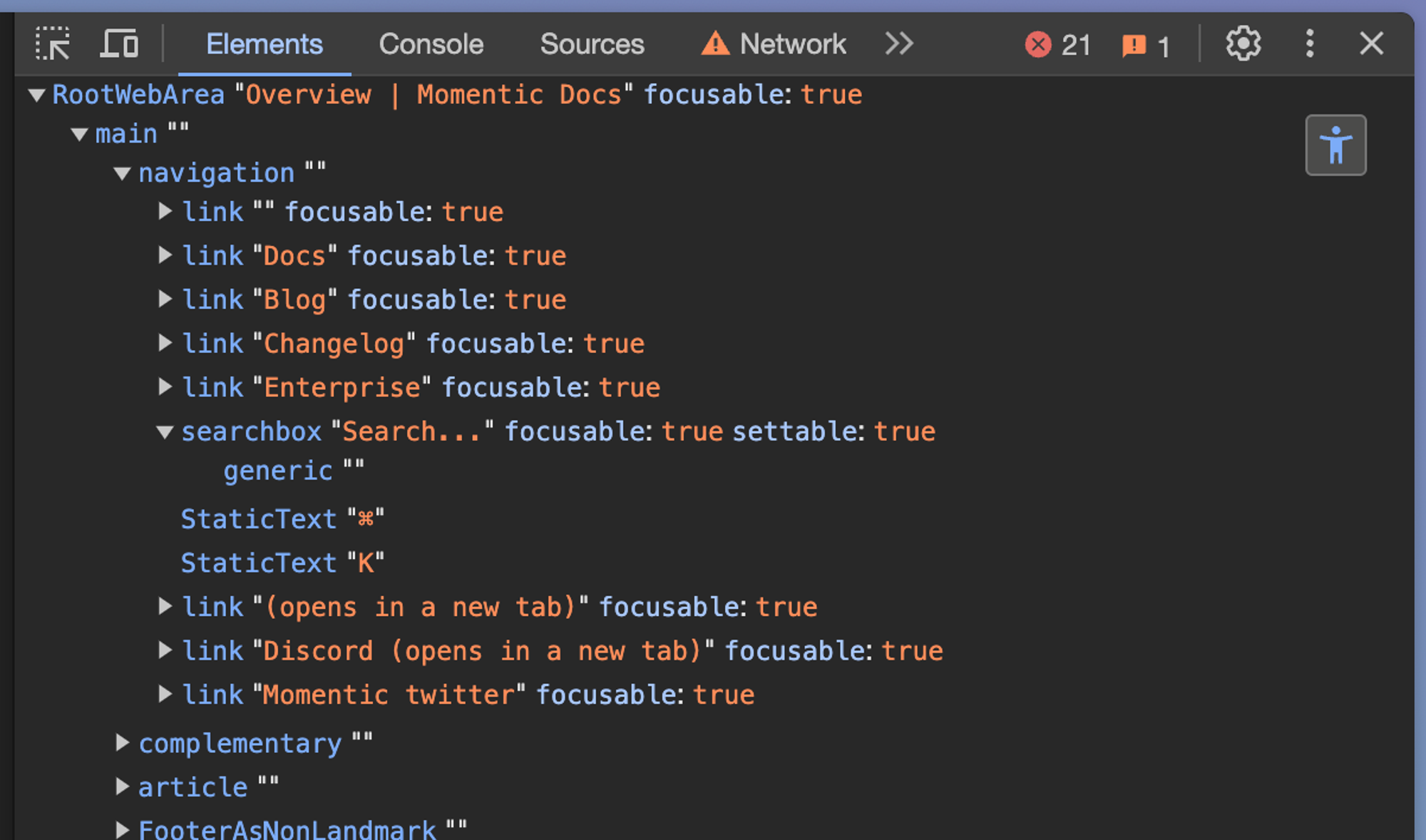
Text content
Reference visible text directly: “the ‘Welcome’ header”, “the text area containing ‘Lorem Ipsum’”. Single-quote text to require an exact match. For example, “the ‘Sign in’ button. don’t allow any typos”.HTML attributes Momentic's AI reads
HTML attributes Momentic's AI reads
id, value, type, class, height, width, target, title, href,
src, alt, role, headers, scope, checked, required, action,
min, max, minlength, maxlength, multiple, pattern, placeholder,
accept, contenteditable, data-value, data-testid, data-cy,
data-test-id, data-test, data-role, data-type, data-key,
data-action, data-hidden, data-handleid, data-handlepos,
data-col-index, data-row-index, data-row, data-colAdd more with
importantAttributes, or
exclude noisy ones with
bannedAttributes.Visual information
The AI is trained on colors, shapes, sizes, and positions: “the red ‘Cancel’ button”, “the thumbs up icon”, “the hamburger menu beside the logo”. Avoid visual-only descriptions for elements smaller than 12x12 pixels or embedded in a row of similar icons.Positional cues
Use positional cues when multiple elements match the same description.Absolute
“…at the top of the page”, “…in the bottom right corner”.Relative
“…below the ‘Introduction’ header”, “…beside the ‘Back’ button”.insidescopes to a parent: “the ‘Submit’ button inside the user dialog”closestpicks the nearest match: “the closest ‘Submit’ button to the ‘Username’ input”
Ordering
Usenth for ordered lists: “the second ‘Submit’ button”.