> ## Documentation Index
> Fetch the complete documentation index at: https://momentic.ai/docs/llms.txt
> Use this file to discover all available pages before exploring further.
# Travis CI
> Run Momentic tests from Travis CI.
Example config for running Momentic on [Travis CI](https://docs.travis-ci.com/).
More reference configs live in
[momentic-ai/examples](https://github.com/momentic-ai/examples).
For a given root `package.json`:
```json package.json theme={null}
{
"name": "my-momentic-repo",
"scripts": {},
"devDependencies": {
"momentic": "latest"
}
}
```
Create a file called `.travis.yml` in your repository with the following
contents:
```yaml .travis.yml theme={null}
language: node_js
node_js:
- lts/*
install:
- npm install
script:
- npx momentic run
after_script:
- npx momentic results upload test-results
```
## Authentication
To run any commands, you must authenticate with Momentic. You can do this by
adding the `MOMENTIC_API_KEY` environment variable to your Travis CI workflow.
1. Create an API key in
[Momentic dashboard](https://app.momentic.ai/settings/api-keys).
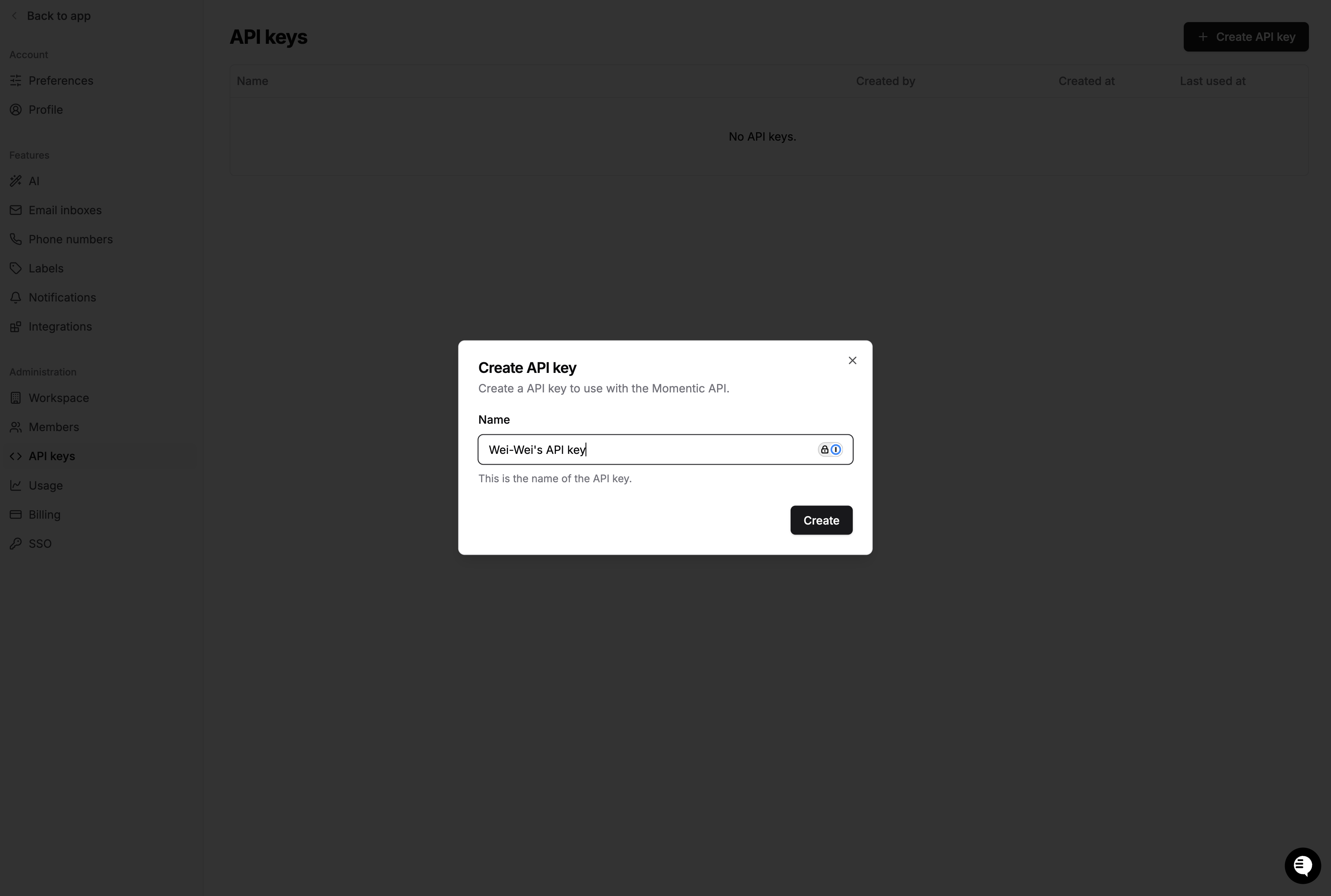 Copy the value to a safe place. You'll need it in a moment.
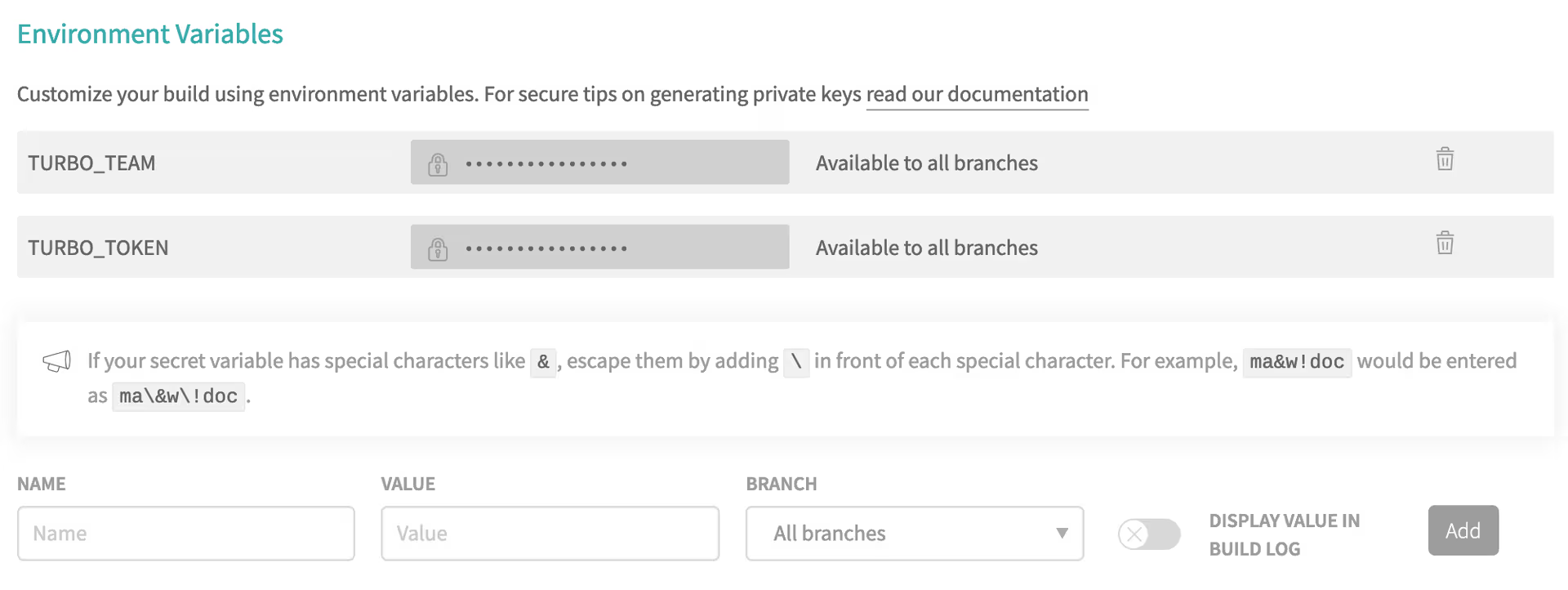
2. Go to your Travis repository settings and scroll down to the Environment
Variables section. Create a new variable called `MOMENTIC_API_KEY` and enter
the value of your API key.
Copy the value to a safe place. You'll need it in a moment.
2. Go to your Travis repository settings and scroll down to the Environment
Variables section. Create a new variable called `MOMENTIC_API_KEY` and enter
the value of your API key.
 3. Travis CI automatically loads environment variables stored in project
settings into the CI environment. No modifications are necessary for the CI
file.
3. Travis CI automatically loads environment variables stored in project
settings into the CI environment. No modifications are necessary for the CI
file.